Running payroll is one of those business tasks that looks simple from the outside but quickly becomes stressful once you are responsible for it. You have to pay employees on time, calculate wages correctly, handle taxes, manage benefits, track time, keep records, and stay compliant with employment rules. For a small business owner, this can easily take hours every month.
That is why payroll software has become an essential tool for modern small businesses. Instead of relying on spreadsheets, manual calculations, or back-and-forth paperwork, payroll platforms help automate the process. They make it easier to pay employees, manage tax filings, generate reports, and organize employee information in one place.
In 2026, there are many payroll tools available, but not all of them are ideal for small businesses. Some platforms are better for startups with only a few employees. Others are designed for growing companies with contractors, benefits, HR needs, and multi-state payroll. The right choice depends on your budget, team size, location, and how much automation you need.
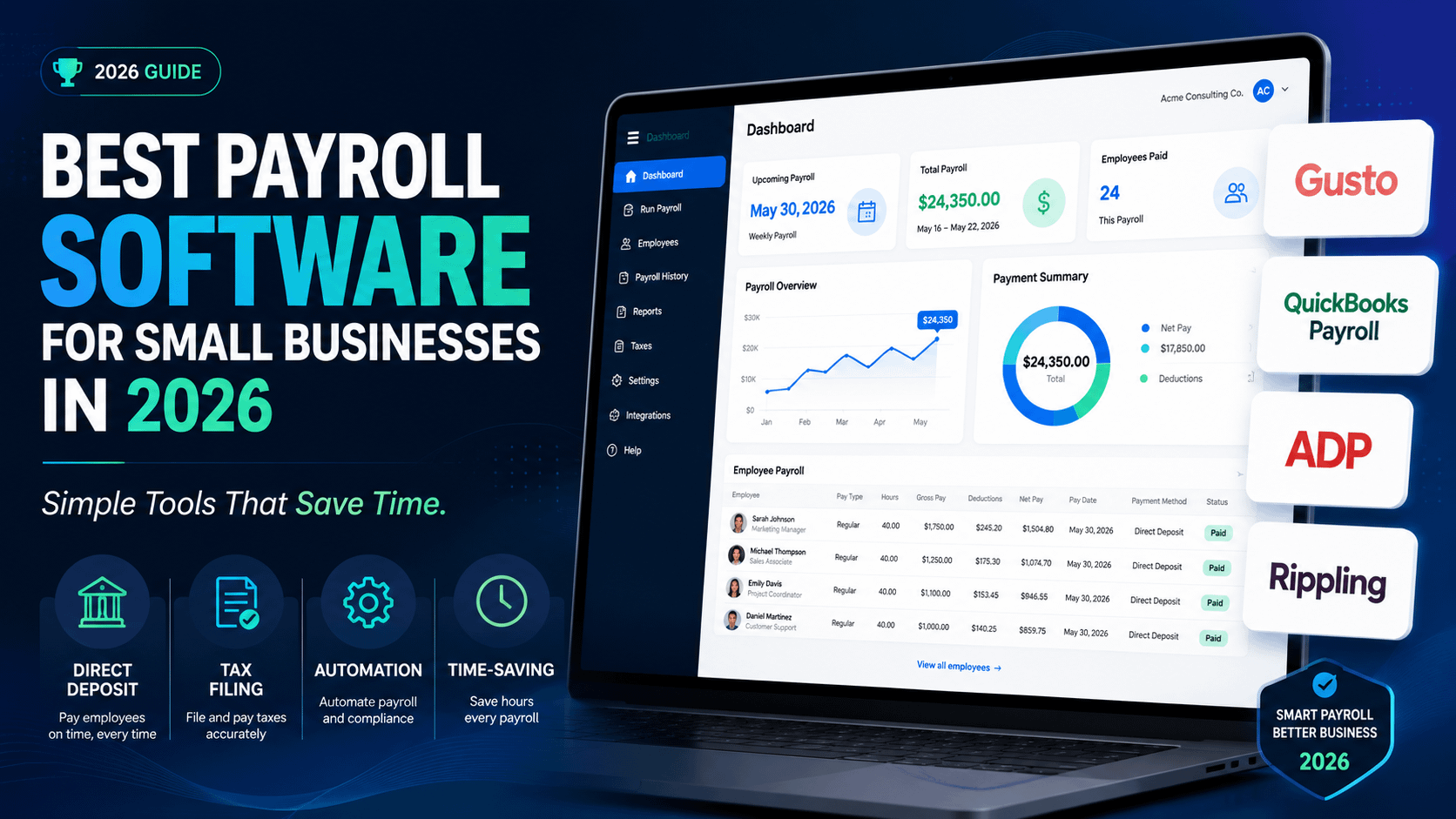
In this guide, we compare some of the best payroll software options for small businesses, including Gusto, QuickBooks Payroll, ADP, Rippling, Patriot, Paychex, and OnPay. We will look at what each one does best, who it is best suited for, and what to consider before choosing a payroll system.
Why Small Businesses Need Payroll Software
Payroll is not just about sending money to employees. It also involves deductions, taxes, payslips, employee records, compliance, time tracking, benefits, and reporting. When payroll is handled manually, small mistakes can lead to delays, unhappy employees, tax issues, or unnecessary stress.
Payroll software helps reduce these problems by automating repetitive tasks. Many platforms can calculate wages, withhold taxes, process direct deposits, create pay stubs, and prepare payroll reports. Some also include HR features such as onboarding, employee documents, benefits administration, and time-off tracking.
For small businesses, this matters because time is limited. Owners often manage sales, customer service, marketing, operations, and finances at the same time. A good payroll system gives them back time and reduces the risk of payroll errors.
What to Look for in Payroll Software
Before choosing payroll software, it is important to know what features matter most. A beautiful dashboard is helpful, but it is not enough. The software should make payroll easier, safer, and more reliable.
Here are some key things to look for:
- Ease of use: The platform should be simple enough for a non-accountant to manage.
- Automated payroll: It should help calculate pay, deductions, and taxes automatically.
- Tax support: Good payroll software should help with tax calculations and filings where available.
- Direct deposit: Employees should be able to receive payments quickly and reliably.
- Employee self-service: Staff should be able to access payslips, tax forms, and personal details.
- Contractor support: This is useful if you work with freelancers or independent workers.
- Integrations: The software should connect with accounting, time tracking, and HR tools.
- Scalability: It should still work well as your business grows.
1. Gusto: Best Overall Payroll Software for Small Businesses
Gusto is one of the most popular payroll platforms for small businesses because it combines payroll, HR, benefits, and employee management in a friendly and easy-to-use package. It is especially attractive for startups, service businesses, agencies, small teams, and growing companies that want a modern payroll experience.
One of Gusto’s biggest strengths is simplicity. The platform is designed to make payroll understandable, even for business owners who do not have a finance or HR background. You can run payroll, manage employee information, onboard new hires, and organize documents from one dashboard.
Gusto is also strong for businesses that want more than basic payroll. Depending on the plan and availability, it can support benefits administration, time-off tracking, contractor payments, employee self-service, and HR tools. This makes it a good choice for companies that want payroll and HR in one place.
For many small businesses, Gusto offers the right balance between features and usability. It does not feel as complicated as some enterprise-focused payroll systems, but it is still powerful enough for growing teams.
Best for:
- Startups and small businesses
- Companies that want payroll plus HR tools
- Business owners who prefer a simple dashboard
- Teams that need employee onboarding features
2. QuickBooks Payroll: Best for Businesses Already Using QuickBooks
QuickBooks Payroll is a natural choice for businesses that already use QuickBooks for accounting. Since payroll and accounting are closely connected, using both tools from the same ecosystem can make financial management much easier.
The biggest advantage of QuickBooks Payroll is integration. Payroll expenses can connect with your accounting records, helping reduce duplicate data entry and making it easier to track business costs. For small business owners who already rely on QuickBooks Online, this can save a lot of time.
QuickBooks Payroll is useful for managing employee payments, payroll taxes, direct deposits, and payroll reports. It is especially practical for small businesses that want to keep bookkeeping and payroll under one familiar system.
However, it may be less appealing to businesses that do not use QuickBooks at all. While it can still be a solid payroll tool, its biggest value comes when it is connected to the wider QuickBooks ecosystem.
Best for:
- QuickBooks Online users
- Small businesses that want accounting and payroll together
- Owners who want fewer disconnected tools
- Companies that need simple payroll reporting
3. ADP: Best for Growing Businesses That Need a Trusted Payroll Brand
ADP is one of the most established names in payroll. It serves businesses of many sizes, from small companies to large enterprises. For small businesses that want a payroll provider with a long track record and broad service options, ADP can be a strong choice.
ADP offers payroll processing, tax support, HR features, compliance tools, and employee management options. Its strength is that it can support businesses as they become more complex. If you expect your company to grow, hire in different locations, or need more HR support over time, ADP may offer more room to scale.
Another advantage of ADP is its reputation. Many business owners choose it because they want a provider with experience handling payroll at scale. This can be reassuring if payroll compliance is a major concern.
The potential downside is that ADP may feel more complex than simpler platforms like Gusto or Patriot. Some very small businesses may not need all the features available. It is best for companies that want a professional, established provider and may need more advanced support as they grow.
Best for:
- Growing small businesses
- Companies that want an established payroll provider
- Businesses with more complex HR needs
- Owners who want scalability
4. Rippling: Best for Payroll, HR, and IT Management in One Platform
Rippling is different from many payroll tools because it combines payroll with HR, IT, device management, app access, and employee lifecycle tools. This makes it especially useful for modern companies that manage remote teams, software access, and employee operations from one system.
For example, when a new employee joins, Rippling can help with onboarding, payroll setup, benefits, app permissions, and even device management depending on the tools used. This makes it powerful for tech companies, remote businesses, agencies, and fast-growing startups.
Rippling is not just a payroll system; it is more of a workforce management platform. That can be a major advantage if your business wants to centralize many employee-related processes. Instead of using separate tools for payroll, HR, identity management, and device tracking, Rippling brings many of those functions together.
The trade-off is that Rippling may be more than a very small business needs. If you only have one or two employees and simply want to run payroll, a lighter platform may be easier. But if you want payroll as part of a larger operational system, Rippling is one of the strongest options.
Best for:
- Remote teams
- Tech-focused small businesses
- Companies that want HR and IT together
- Fast-growing startups
5. Patriot Payroll: Best Budget-Friendly Payroll Software
Patriot Payroll is a good option for small businesses that want a simple and affordable payroll solution. It is especially useful for owners who do not need a long list of advanced HR features and simply want to pay employees correctly.
The platform focuses on the basics: running payroll, managing employee pay, generating payroll records, and supporting tax-related tasks depending on the plan. For small businesses with straightforward payroll needs, this can be enough.
Patriot is appealing because it does not try to overwhelm users. It is practical, focused, and easier to understand than some larger platforms. This can be helpful for small shops, local service businesses, family businesses, and companies with only a few employees.
If your business needs deep HR tools, benefits administration, or advanced integrations, Patriot may feel limited. But for cost-conscious small businesses that want payroll without unnecessary complexity, it is worth considering.
Best for:
- Budget-conscious small businesses
- Very small teams
- Simple payroll needs
- Owners who want a straightforward tool
6. Paychex: Best for Payroll With HR Support
Paychex is another well-known payroll provider that offers payroll, HR, benefits, time tracking, and business support services. It is a strong choice for small businesses that want payroll software but also value access to broader HR resources.
Paychex can support businesses as they move from basic payroll to more complete employee management. This is useful for companies that are hiring more workers, handling benefits, managing compliance, or trying to organize HR processes more professionally.
One of the main reasons businesses choose Paychex is support. Payroll can be stressful, and some owners prefer a provider that offers more guidance than a basic self-service app. Paychex may be especially useful for businesses that want a balance between software and service.
The downside is that it may not feel as lightweight or modern as some newer platforms. But for businesses that want a reliable provider with payroll and HR depth, Paychex remains a strong competitor.
Best for:
- Businesses that want payroll and HR support
- Companies with growing employee needs
- Owners who value customer support
- Small businesses preparing to scale
7. OnPay: Best Simple Payroll Tool for Flexible Small Businesses
OnPay is a payroll platform designed for small businesses that want a clean, practical, and flexible payroll experience. It is often appreciated by businesses that need employee and contractor payments, basic HR features, and a system that does not feel overly complicated.
OnPay can be a good fit for companies in different industries, including professional services, small nonprofits, local businesses, and companies with mixed worker types. It provides a simple way to manage payroll while still offering useful employee self-service features.
One of OnPay’s strengths is that it feels balanced. It is not as broad as Rippling and not as enterprise-focused as ADP, but it offers more than just bare-bones payroll. For many small businesses, that middle ground is exactly what they need.
Best for:
- Small businesses that want simple payroll
- Companies paying employees and contractors
- Owners who want a clean user experience
- Businesses that need basic HR tools
Quick Comparison Table
| Payroll Software | Best For | Main Strength | Potential Drawback |
|---|---|---|---|
| Gusto | Most small businesses | Easy payroll plus HR features | May cost more as features increase |
| QuickBooks Payroll | QuickBooks users | Strong accounting integration | Best value inside QuickBooks ecosystem |
| ADP | Growing businesses | Trusted and scalable provider | Can feel complex for very small teams |
| Rippling | Remote and tech-focused teams | Payroll, HR, and IT in one platform | May be too advanced for basic needs |
| Patriot Payroll | Budget-conscious businesses | Simple and affordable payroll | Fewer advanced HR features |
| Paychex | Payroll with HR support | Strong service and HR depth | May feel less simple than newer tools |
| OnPay | Flexible small businesses | Balanced payroll and basic HR tools | Less broad than larger platforms |
How to Choose the Best Payroll Software for Your Business
The best payroll software is not the same for every business. A freelancer hiring one assistant does not need the same system as a company with 50 employees across multiple locations. Before choosing, think about your current needs and where your business may be in the next one to two years.
If you want the easiest all-around option, Gusto is a strong place to start. If you already use QuickBooks, QuickBooks Payroll may be the most convenient choice. If your business is growing quickly and you want a provider that can scale with you, ADP or Paychex may make sense. If you run a remote or tech-heavy company, Rippling can be especially useful. If your main priority is affordability, Patriot Payroll is worth considering. If you want a balanced and simple payroll tool, OnPay is a solid option.
Final Verdict
For most small businesses in 2026, Gusto offers one of the best overall combinations of usability, payroll features, HR tools, and employee-friendly design. It is simple enough for beginners but flexible enough for growing teams.
QuickBooks Payroll is the best option for businesses already using QuickBooks accounting, while ADP and Paychex are better for companies that want a more established provider with deeper support. Rippling is ideal for modern businesses that want payroll, HR, and IT operations in one system. Patriot Payroll is a smart pick for small teams that want to control costs, and OnPay offers a practical middle ground for many small businesses.
Ultimately, payroll software should save time, reduce errors, and help you pay your team with confidence. The right platform will not just make payday easier; it will also make your business more organized, professional, and ready to grow.
About the Author